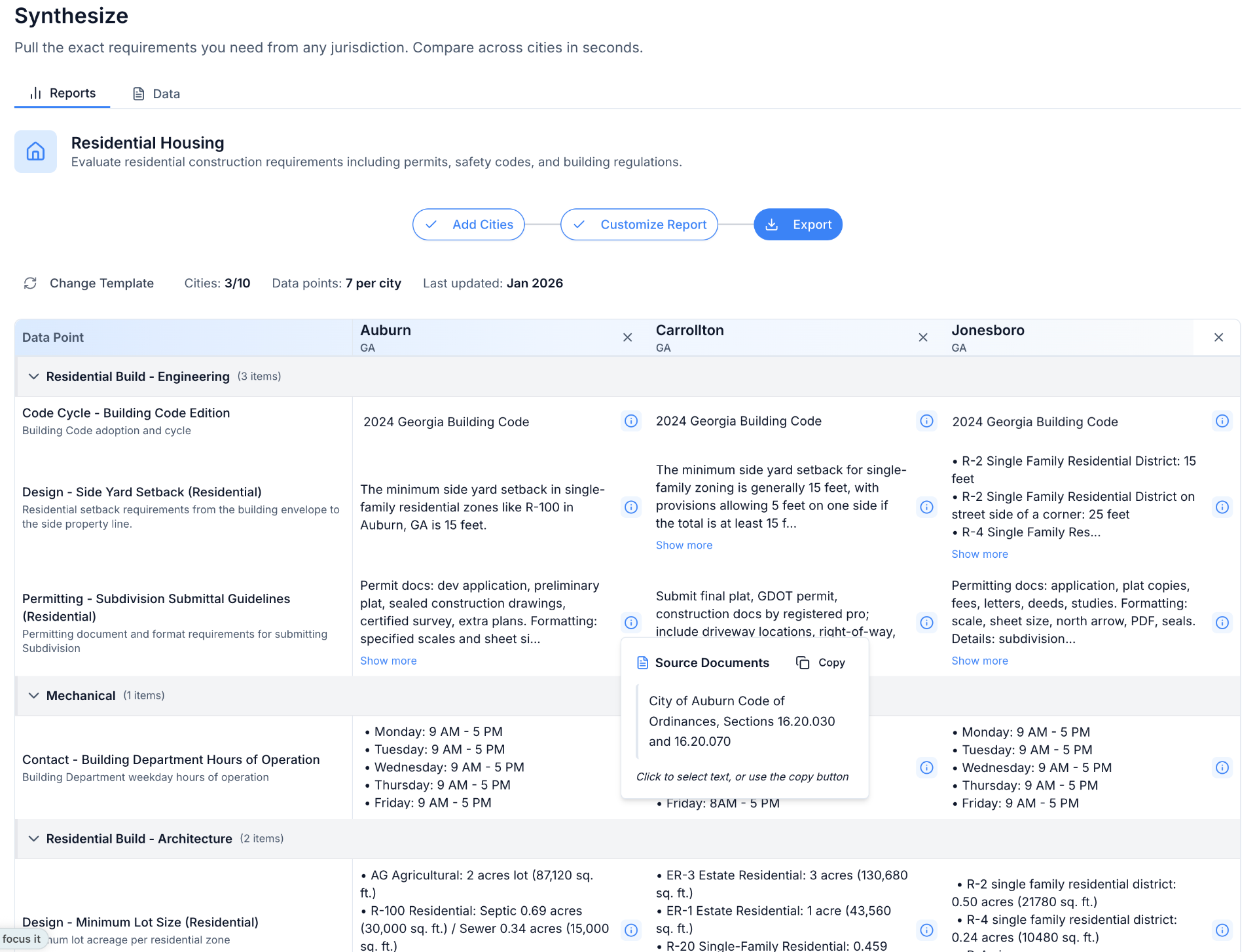

You've seen what Fordje can do. Now you want to know: is the data actually accurate for the cities and requirements that matter to my business?
Good. That's exactly the right question.
This guide walks you through two approaches to validate Fordje's data during your proof-of-concept. Pick the one that fits how your team currently tracks local requirements—or use both.
Before You Start
For your POC, you'll have access to both the Synthesize tool (structured data across multiple cities) and the Research tool (deep dives into specific questions with links to source documents).
We recommend starting with 3-5 cities you know well and 10-20 data points that matter to your projects. This gives you enough breadth to see patterns without getting lost in the weeds.
Option 1: Compare Against Your Existing Data
Best for: Teams with an existing database of code requirements, CRM, or documented code requirements
The process
Pick your test cities. Choose 3-5 jurisdictions where you have solid existing data—ideally a mix of cities where projects have gone smoothly and cities where you've hit surprises.
Select your data points. In the Synthesize tool, choose 10-20 data points you already track. Common starting points include setbacks, fire pathway requirements, permit fees, height limits, and zoning restrictions.
Download and compare. Export the Fordje data and line it up against what you currently have. Look for:
- Direct matches (confidence builder)
- Discrepancies where Fordje shows something different
- Data points Fordje has that you don't currently track
Investigate discrepancies. This is where it gets useful. When you find a mismatch, use the Research tool to dig into the underlying code. Fordje will point you to the source document so you can verify yourself.
Most discrepancies fall into a few categories:
- Your data was outdated. Codes change; Fordje caught an update you missed.
- Formatting difference. The information is the same, just presented differently.
- Edge case. Your data reflected a specific situation that's not the general rule.
Think about past projects. For cities where you've had permit issues or rework, check whether Fordje's data would have caught the problem earlier. This is often the clearest signal of value.
What you're looking for
Fordje should match or improve on your existing data at least 90% of the time. More importantly: would having this data earlier have prevented delays on past projects?
Option 2: Build From Your Project Questions
Best for: Teams without a formal requirements database, or those who want to test Fordje against real workflow questions
The process
List your common questions. What do you need to know about a city before you can move forward? Write down 10-20 questions your team asks repeatedly. Examples:
- What are the roof setback requirements?
- Is a permit required for battery storage in a garage?
- What's the maximum system size allowed?
- What are the fire department access requirements?
- What fees should we expect?
Test in the Research tool. Pick 3-5 cities and run your questions through Research. Drill down as needed—the tool will show you where the answers come from in the underlying code.
Evaluate the answers. Are they clear enough to act on? Do they match what you'd expect based on your experience in those markets?
Request structured data points. Once you've validated that Research gives you what you need, let us know which questions should become standard data points in Synthesize. We can typically add new data points within 24 hours.
Test across cities. With your custom data points in Synthesize, pull them across multiple cities. Check whether the format works for your workflow—do you need yes/no answers, numeric values, or more context?
What you're looking for
Can Fordje answer the questions you actually ask, in a format that fits how your team works? If something's unclear or needs adjustment, tell us—that's what the POC is for.
A Note on Formatting
Data accuracy is one thing. Data usability is another.
During your POC, pay attention to how answers are formatted. Maybe you need a simple yes/no with exceptions noted. Maybe you need the full context. Maybe you need numeric values you can plug into a model.
If the data is accurate but not formatted the way you need it, let us know. We can adjust how data points are structured so they actually fit your workflow.
Questions?
If you hit a wall or want help thinking through your test approach, reach out. We'd rather you test thoroughly and find any gaps now than discover them after you've committed.
And if you find something that doesn't look right—tell us. That's how we keep getting better.